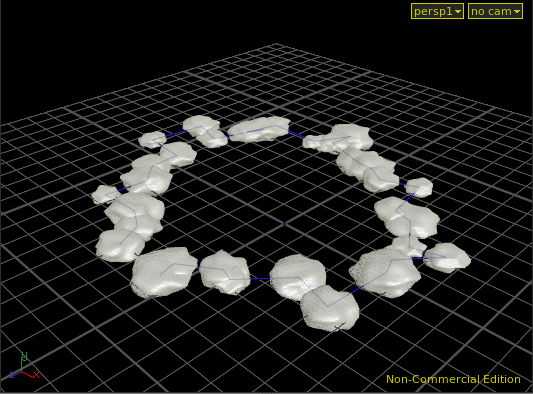
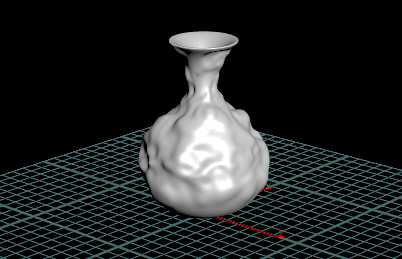
FLIP Fluid Ocean is so cool and it's probably practical method.
Showing posts with label Tutorial. Show all posts
Feb 17, 2015
Feb 2, 2015
Feb 1, 2015
Mantra Basic Memo 01 - Envilonment & AreaLight
基本的なEnvilonment Light & Area Lightの設定。 Rendering Engine : Physically Based Rendering ,
Attenuation : Physically Correct Attenuation
Jan 31, 2015
Dec 18, 2014
Basic Copy Stamp With Creep Tool
Creep Node, Convert Node, Delete Node, $PI, $CY, nprims (),
教材:Creep Tool With Copy Stamping
杉村君から。無限に異なる形状を操作できる例らしいです。
Basic Copy Stamp
教材:Copy Stamping
Copy Node, POP Network(old), Switch Node,
Copy Parameter, Paste Copied Reference, Paste Copied Relative Reference
Dec 17, 2014
Basc Attribute Transfer
Attribute Transferの基礎。 Auto Dop Network, RBD Point Object, Dop Import, Object Merge, Color,
PopNetwork(old), Group
教材: Avalanche Previsualization
Nov 20, 2014
FIRST STEP | Procedural Anim & Expressions 01
Command Line Tools, Houdini Shell terminal, Lsystem node
次はExpressonとProcedural Animationの基礎。今回はExpression中心でした。
LsystemのオブジェクトをOutput, Geometry NodeでランダムにInput. コピペでランダムを検証。
Nov 19, 2014
FIRST STEP | Traditional Animation Tools 01
ANIMATION CURVE on Noise Expression : ezier() + sin($F*100)*1
- CURVE EDITOR SHOT CUT -
Alt + Left Click : Add KeyCtr + Left Click : Delete Key
[On any keys] Shit + Left Click : Open Channel Editor
[On time slider ] Shift + Left Drag
FIRST STEP | Procedural Modeling&Digital Assets 03
Edit Parameter Interface Window, elative Channel Reference, Create Digital Asset, Install Digital Asset Library...
Expression : cos($PT*5)*5, position z : sin($PT*5)*5
今回はUI周りが中心です。大事な部分なので基礎をしっかり覚えたいと思います。
デジタルアセットの可能性が広がりそうです。
Expression : cos($PT*5)*5, position z : sin($PT*5)*5
今回はUI周りが中心です。大事な部分なので基礎をしっかり覚えたいと思います。
デジタルアセットの可能性が広がりそうです。
Nov 18, 2014
FIRST STEP | Procedural Modeling&Digital Assets 01
Nov 17, 2014
FIRST STEP | Lesson 2- UI&Modeling 03
Nov 16, 2014
FIRST STEP | Lesson 2- UI&Modeling 02
Subscribe to:
Posts (Atom)